





A tradesman leaning on his tailgate, checking his phone with a satisfied grin

Deposits

The date costs something. So it gets kept.

Deposits collected right at booking.

Start here We'll find your business on Google and build your booking page.

Free plan · No credit card

Deposit at booking. Into your own Square.

  • Percent or flat amount
  • Collected when they book
  • Comes off the final price
  • 0% of your payments
Start free
See it live

From setting to paid, in four screens

Real screens: the Payments setting and jobs in RelayOS, and a live RelayLeads booking form.

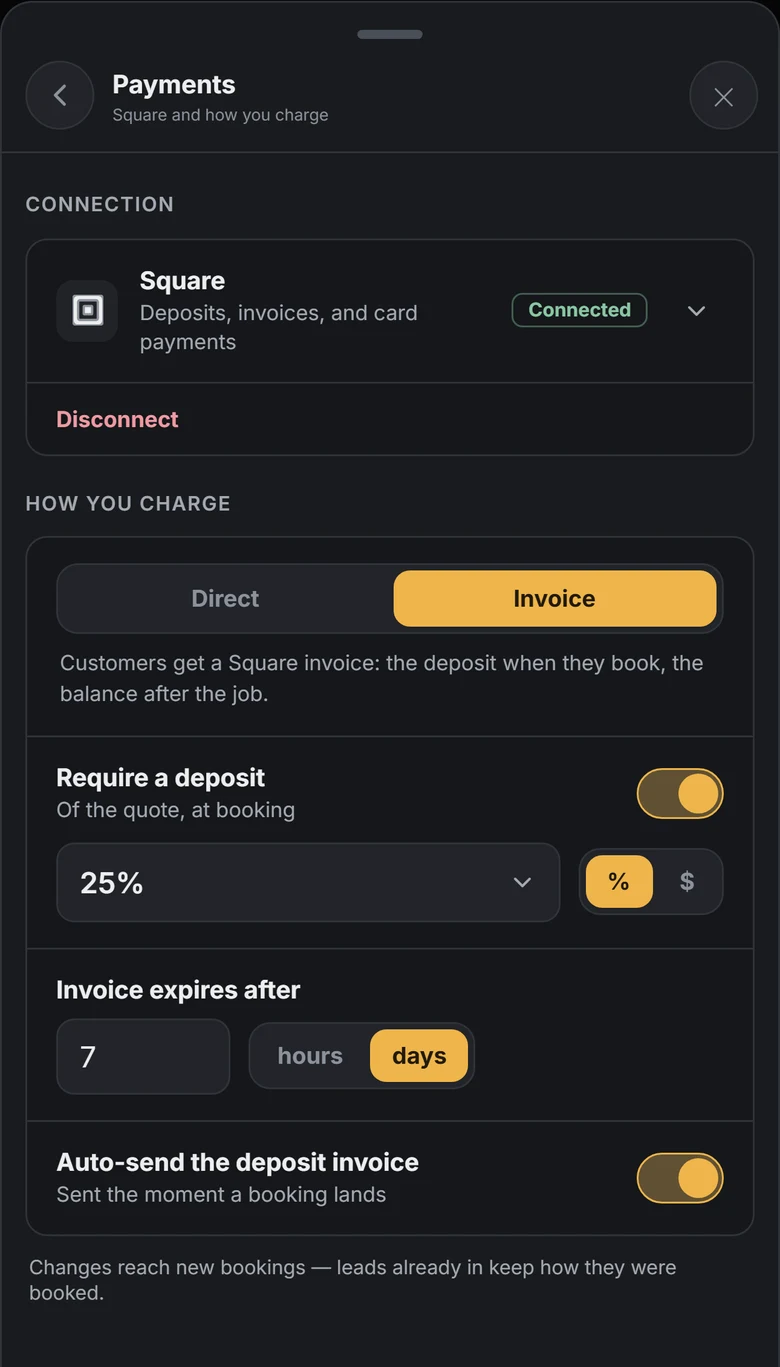
Payments in RelayOS: Square connected, Require a deposit switched on at 25% of the quote, and the deposit invoice set to send on its own.
Set it once

Pick a percent or a flat amount

Open Payments in RelayOS, switch on Require a deposit, and choose a percent of the quote or a dollar amount. It applies to every new booking from then on.

  • ✓Percent or dollars
  • ✓Charged at booking, or sent as a Square invoice
  • ✓Change it any time; booked jobs keep their terms

Works withSquare

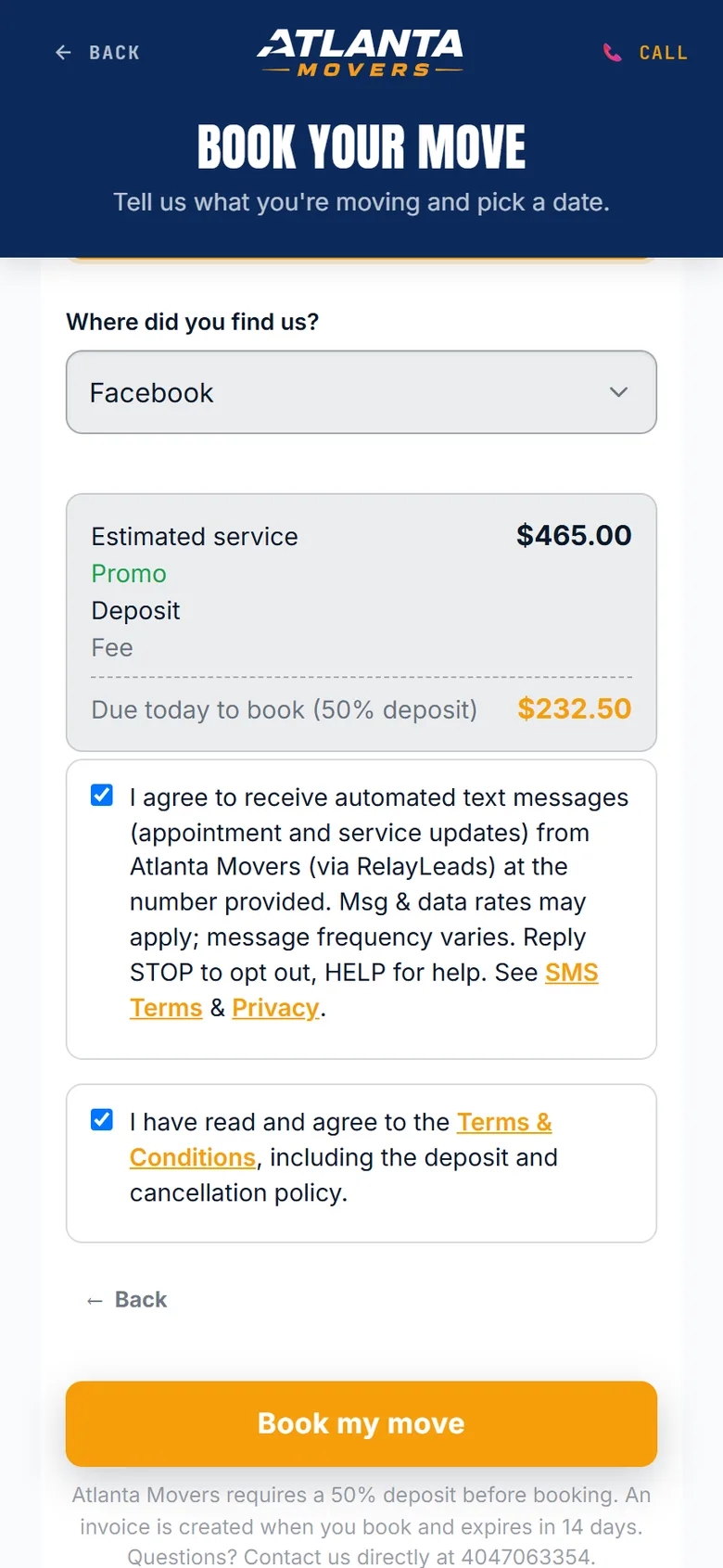
The last step of Atlanta Movers' booking form: estimated service $465.00, $232.50 due today as a 50% deposit, and a Book my move button.
Due today

The customer sees it before they commit

The booking form shows the total and what is due today. There is nothing to negotiate and no awkward call asking for money up front.

  • ✓Total and deposit on the last step
  • ✓Paid by card
  • ✓Comes off the final price
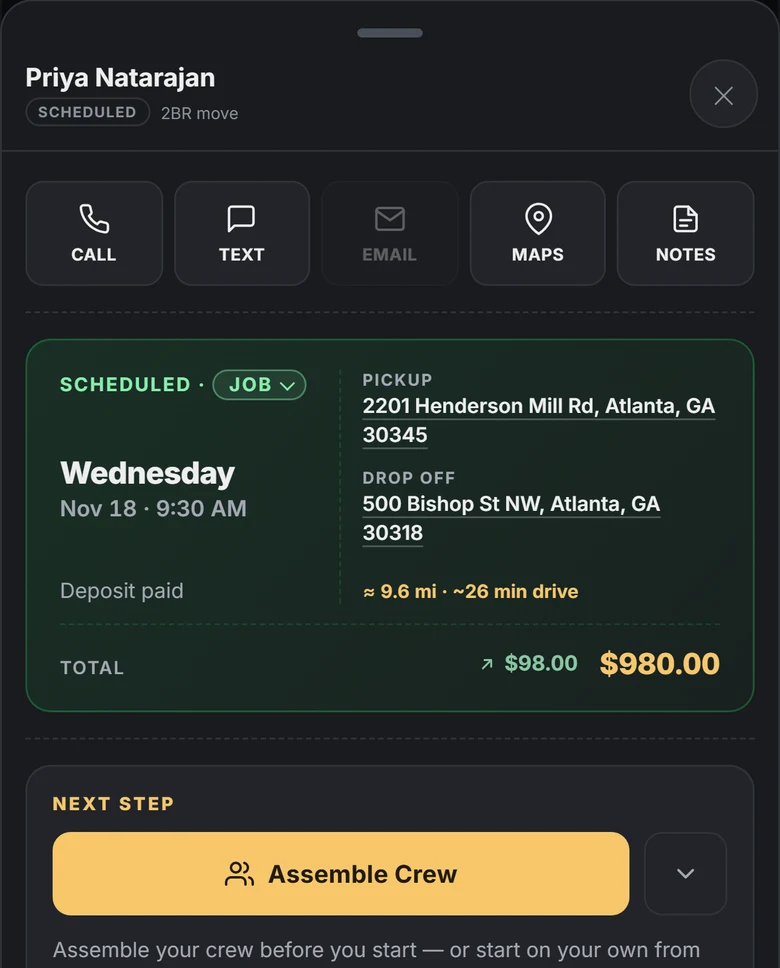
A scheduled job in RelayOS: Wednesday at 9:30 AM, deposit paid, $98.00 received of a $980.00 total.
Date locked

Deposit paid, right on the job

The job shows Deposit paid next to the date, with what has come in against the total. You know which dates are backed by money before the truck rolls.

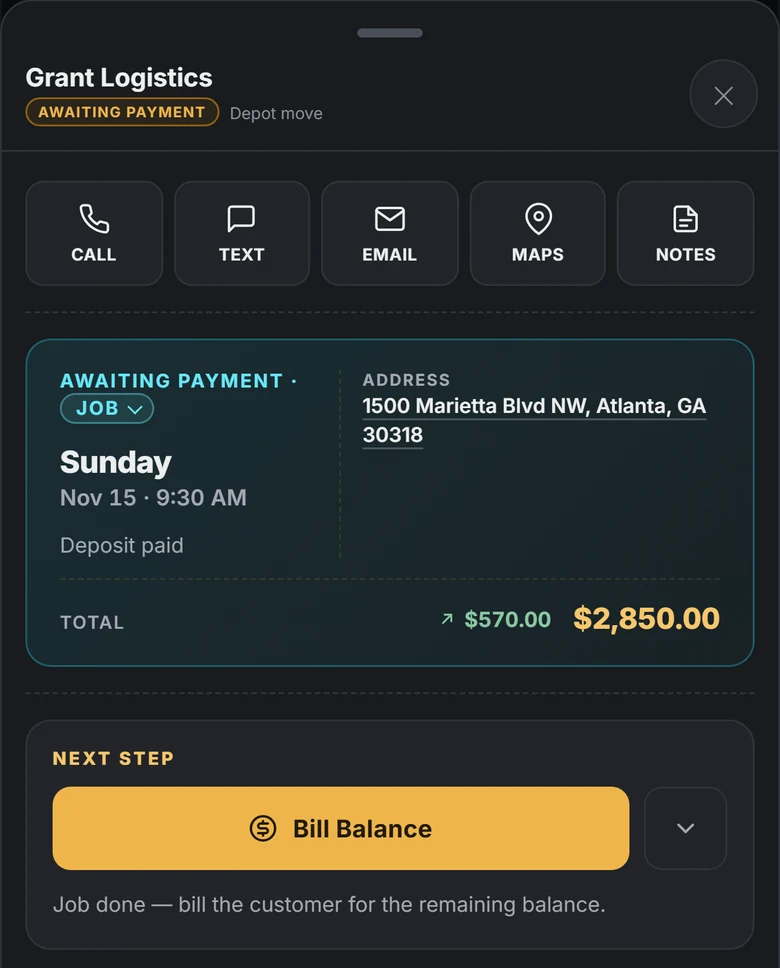
A finished job in RelayOS awaiting payment: deposit paid, $570.00 received of $2,850.00, with Bill Balance as the next step.
Bill the balance

One tap closes it out

When the work is done the next step is Bill Balance. The math is already done from the quote and what has been paid.

The problem

What this replaces

  • Saturday no-shows with a crew ready and nothing collected
  • "Pretty sure" bookings that evaporate the night before
  • Chasing a Zelle before the job is its own awkward phone call
  • Tire-kickers holding dates that buyers wanted
How it works

The RelayLeads way

01

Set your deposit once

Flat amount or a percentage — your call, per your pricing model. It becomes a line in checkout, like tax. Nobody negotiates with a checkout page.

02

Collected at booking

The money lands in your own Square account immediately. An unpaid hold simply expires and frees the slot — no sweeper, no cleanup.

03

The balance closes the job

When the work wraps, bill the remainder from your phone — the math is already done from the quote and what's been paid.

On RelayLeads

What your customer gets

  • ✓A clear "due today" amount before they commit
  • ✓The deposit comes off the final price
  • ✓Reschedule from their booking link instead of forfeiting
A booking form showing the total and the deposit due today.
In RelayOS

What you get

  • ✓Money down means customers reschedule instead of vanishing
  • ✓Deposits optional per service — some jobs can book free
  • ✓Your own processor; RelayLeads never holds your money
A scheduled job in RelayOS marked Deposit paid.

RelayLeads is what your customers see. RelayOS is the app you run it from. How they fit together →

FAQ

Deposits, answered

Won't a deposit scare customers off?

It filters exactly the customers you want filtered — the ones who wouldn't have shown. A deposit reads as "this business is real," and operators who add one see no-shows drop toward zero.

Where does the deposit money go?

Straight into your own Square account at booking. RelayLeads is never in the funds flow and takes no cut.

What if they don't pay the deposit?

The hold expires on its own and the slot reopens. A date is only locked when it's backed by payment — or immediately, if you've set no deposit.

Enter your business. We build the rest.

Free, takes about two minutes, no credit card. Your page, booking flow, and dashboard — built from a few quick questions.

Start here We'll find your business on Google and build your booking page.