Real screens from live RelayLeads booking pages, and from RelayOS, the app you run them from.
Your questions
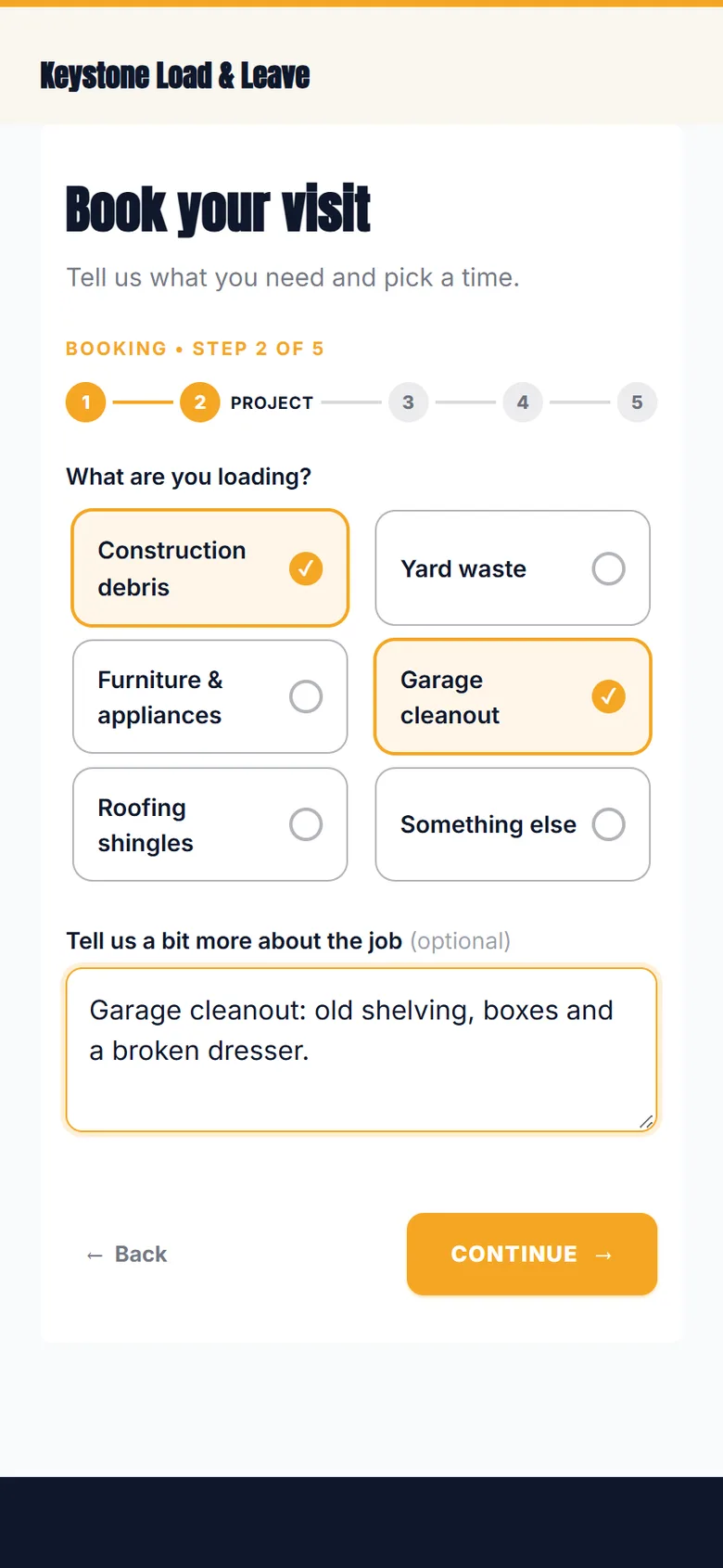
It asks what you'd ask on the phone
Your form is tuned to your trade, so the job arrives with the details you need to say yes. No callback to find out what they actually want.
✓Questions built for your trade
✓Room for notes and photos
✓No app, no account, no password
Your prices
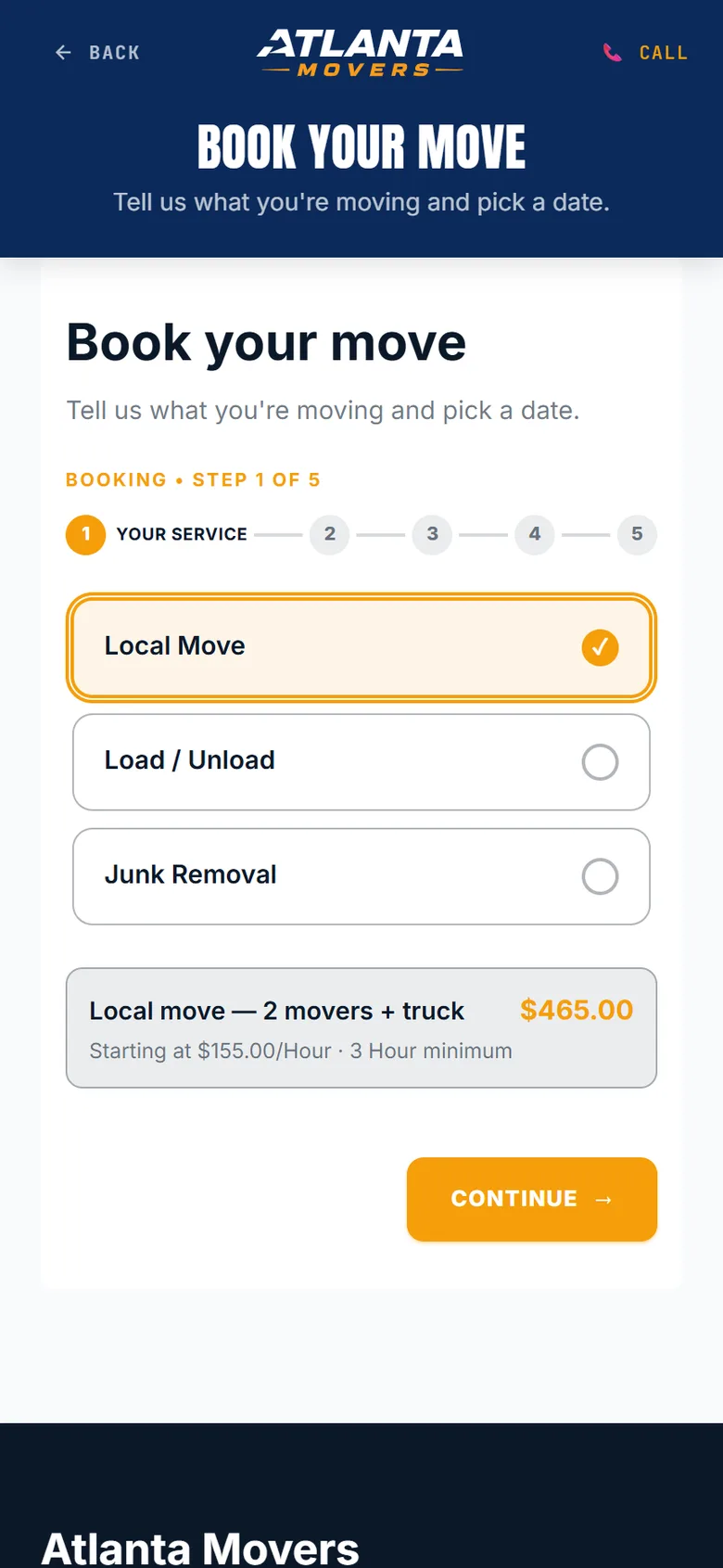
They see the price before they book
Each service shows your real price, worked out from your rate and your minimum. "How much?" is answered on the page, not in a callback.
✓Hourly, flat or per-unit pricing
✓Minimums built in
✓No surprise at the door
Open dates
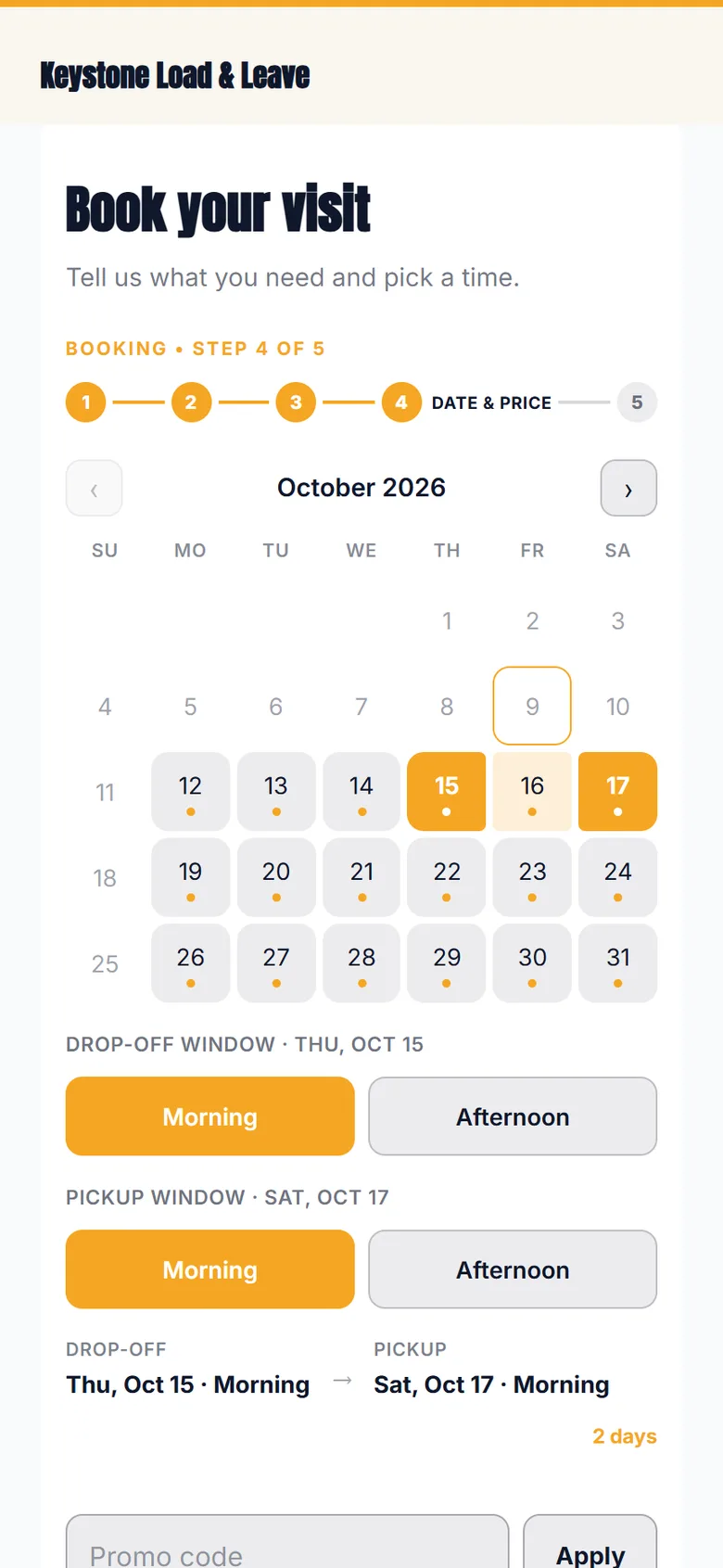
Only the days you can take
The calendar shows the dates you're open, and nothing else. Offer arrival windows like morning and afternoon, or exact appointment times, whichever fits how you work.
✓Arrival windows or exact times
✓Your notice rules and daily capacity
✓Promo codes at booking
Book and pay
Instant booking, paid through Square
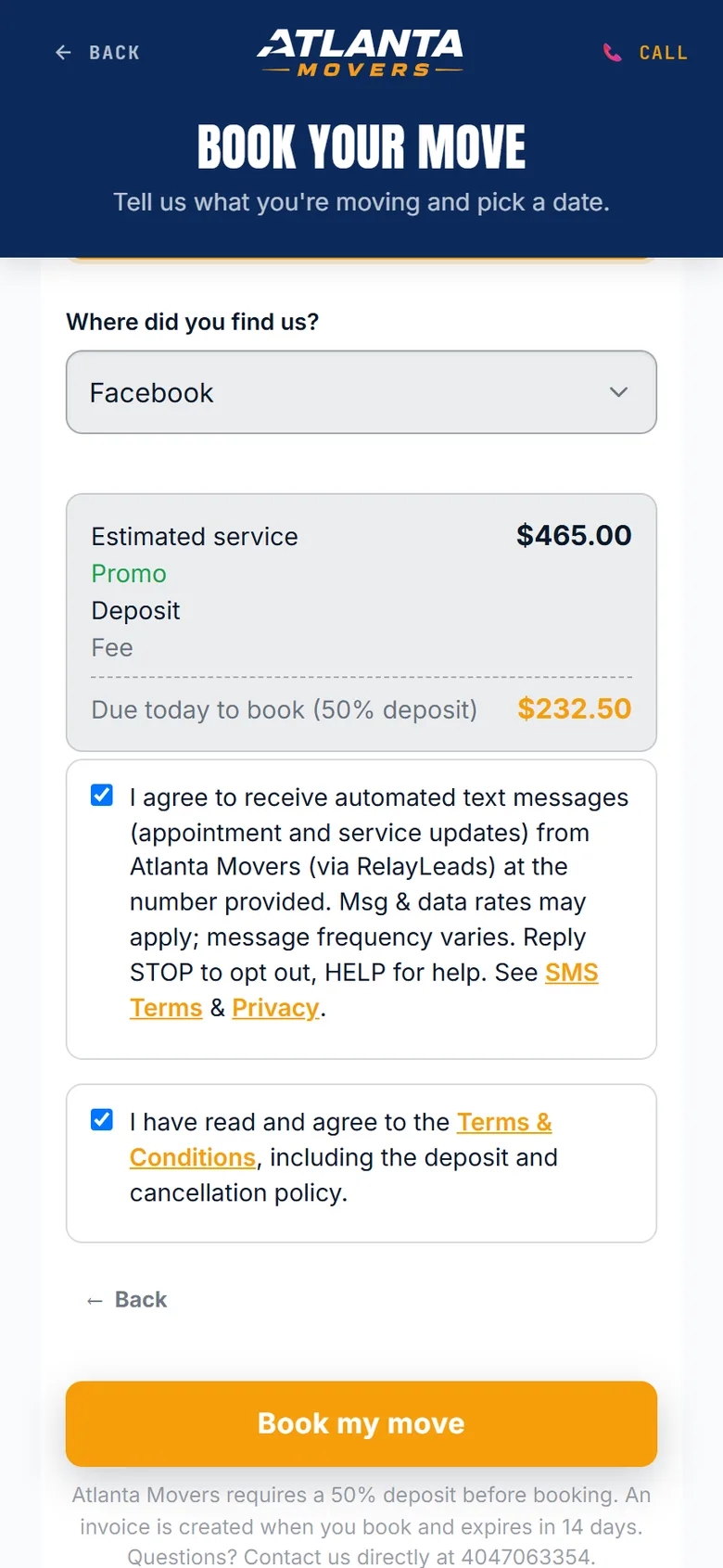
The total and the deposit are worked out right on the page. They book on the spot and pay the deposit by card through your own Square account. RelayLeads takes no cut.
✓Deposit as a percent or a flat amount
✓Money lands in your Square, not ours
✓The date is held the moment they book
Works withSquare
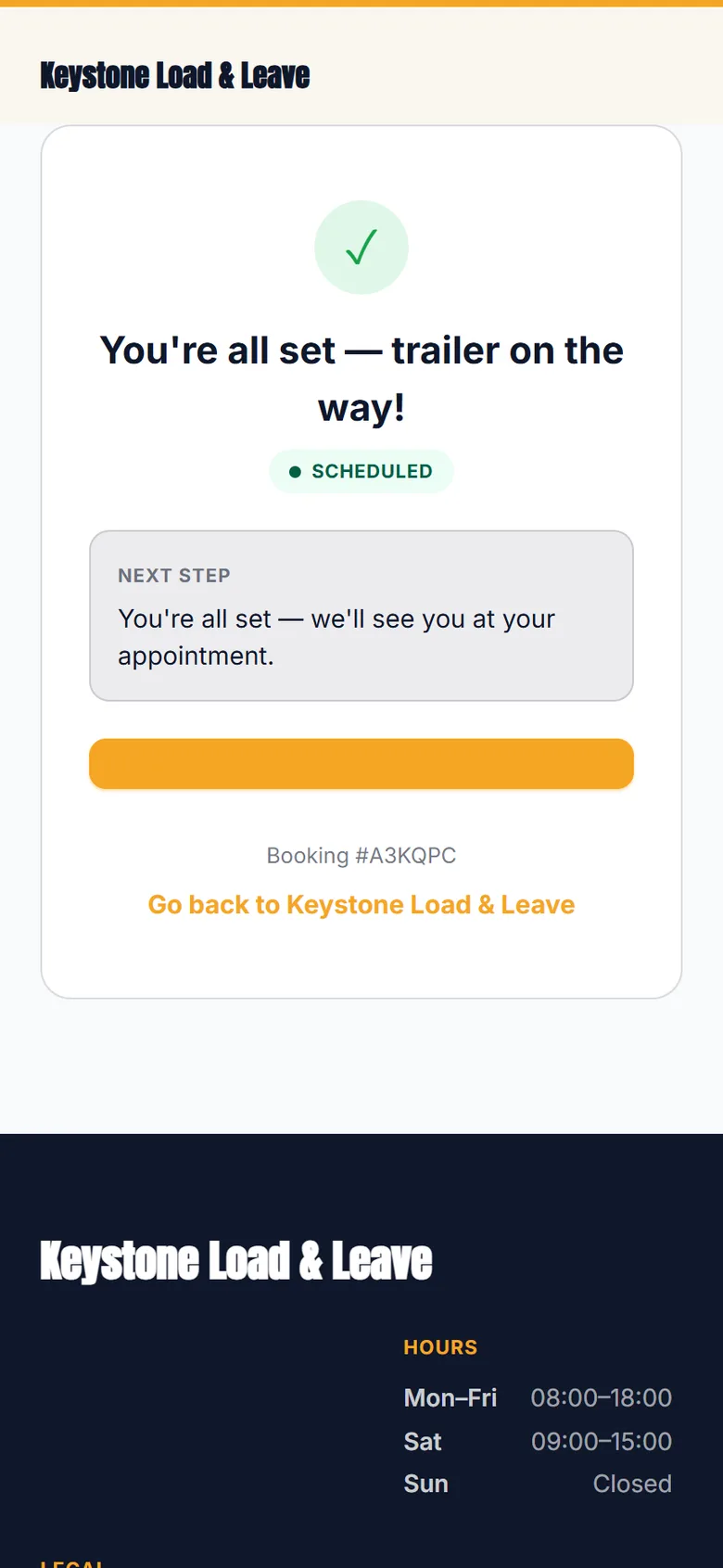
Confirmed
They know it's booked. So do you.
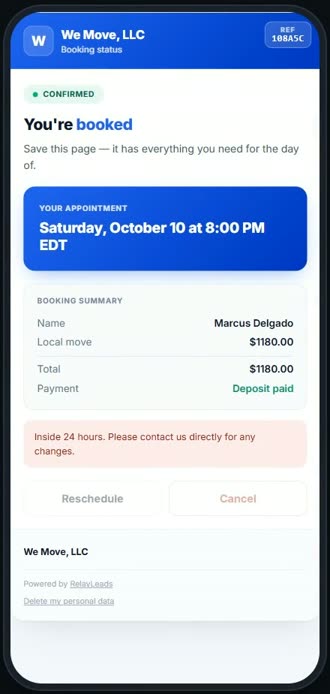
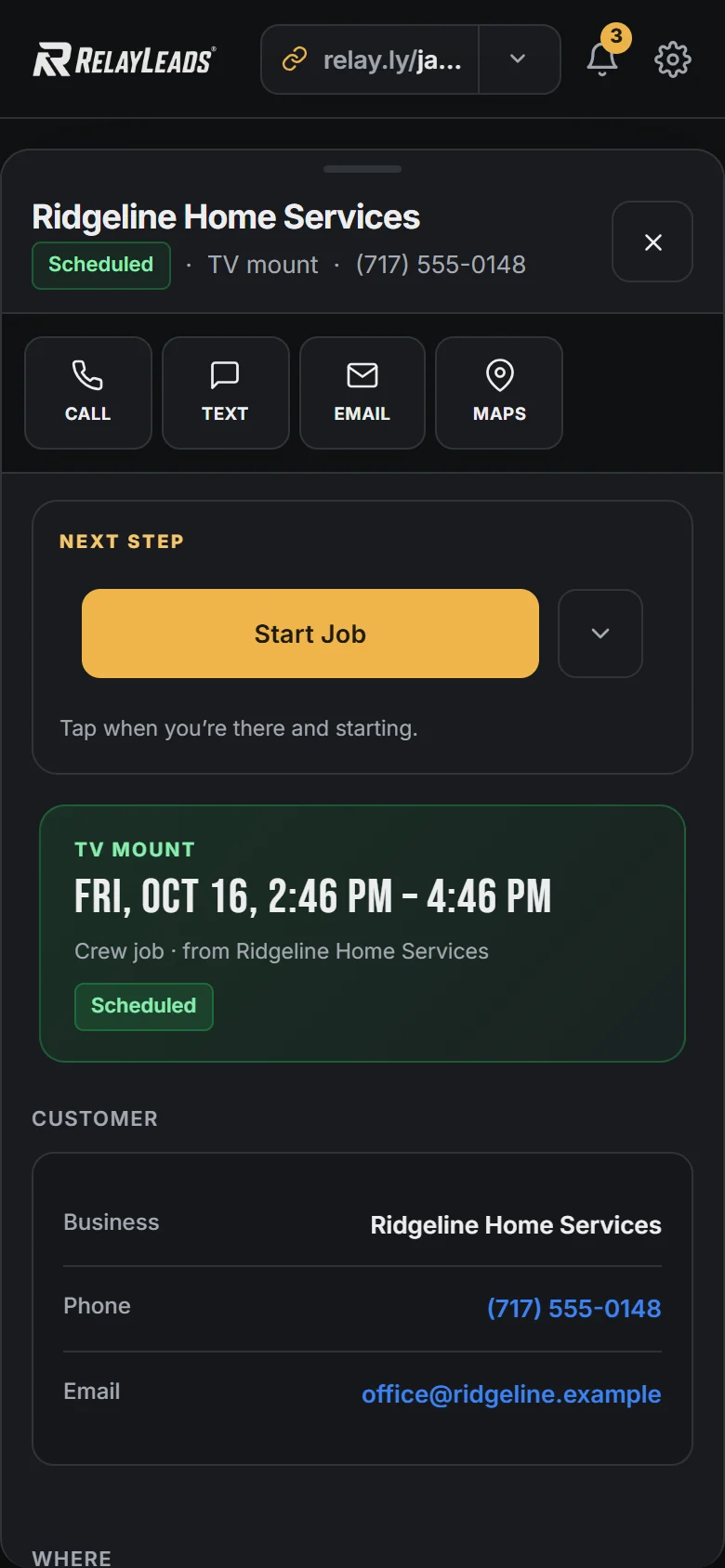
The customer gets a confirmation and a private link to reschedule, cancel or pay. You get the job on your calendar and an alert on your phone.
Customize
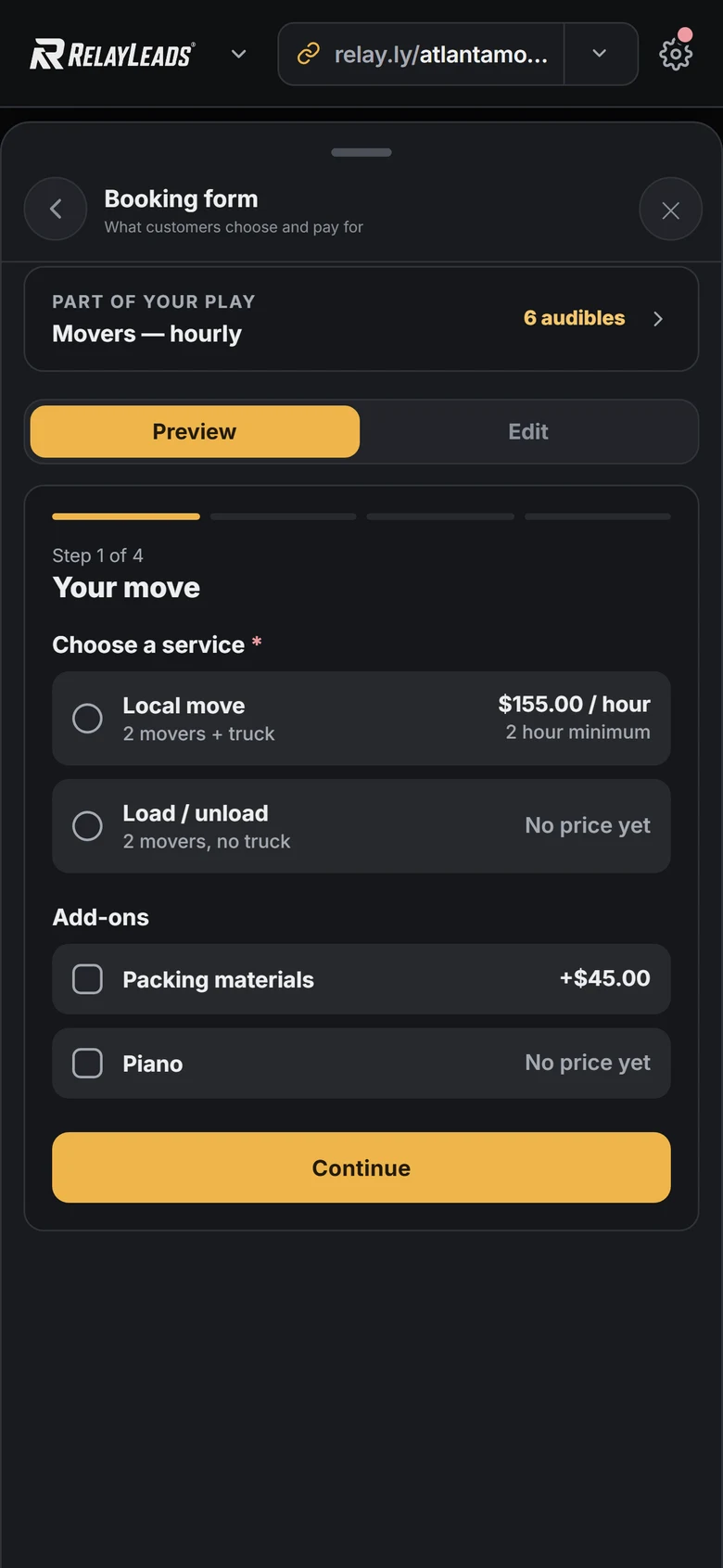
Make the form yours in RelayOS
Open Booking Form in RelayOS and change anything: add a step, reorder questions, rename a service, mark a field required. Preview it as your customer sees it before it goes live.
✓Add, rename and reorder steps
✓Your own questions and options
✓All from your phone
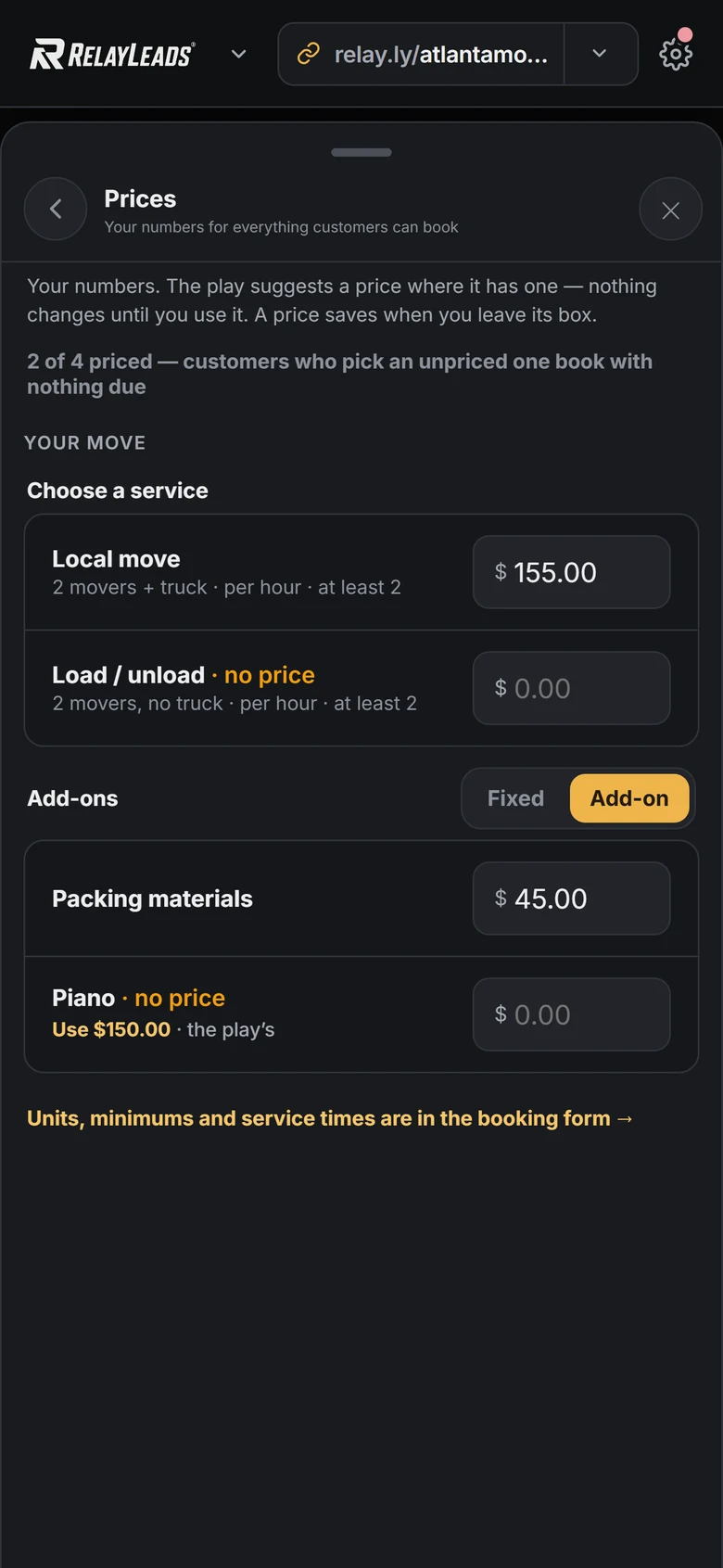
Set prices
Set a price once. Square stays in step.
Open Prices and type a number next to each service and add-on. It saves when you leave the box. Relay creates the matching item in your Square account and re-prices it whenever you change the number. You set the price, never Square.
Works withSquare
Follow-up vs. instant scheduling
Stop following up. Let them book.
Most tools catch the lead and then automate the chase: an auto-reply, a drip of texts, a callback. Instant scheduling skips the chase. The customer books while they still want the job done.
Qualified leads that end up with a booked meeting
Traditional follow-up30%
Instant scheduling66.7%
Source: Chili Piper, 2025 Benchmark Report on Demo Form Conversion Rates. About 4 million form submissions, reported by a scheduling vendor. It measures B2B software demo requests, not paid home-service bookings, so read it as the direction, not a promise.
Traditional follow-up
Catch the lead. Then chase it.
Mon 9:14 PM Hi, need a quote for a move on the 14th.
Mon 9:14 PMAutomatedThanks for reaching out! We'll be in touch soon.
Tue 10:30 AM You call back between jobs. Voicemail.
Wed 8:00 AMAutomatedJust checking in. Still need that quote?
Thu 6:40 PM All set, went with someone else. Thanks.
vs
Instant scheduling
They book while they're still looking.
✓Opens your booking page Mon 9:14 PM
✓Sees the real price for a local move 9:15 PM
✓Picks Saturday the 14th, morning 9:16 PM
✓Pays the deposit by card 9:17 PM
✓Confirmed, and on your calendar 9:17 PM
The two timelines are an illustration of one after-hours lead, not a measured result.
Scheduling
Syncs withGoogle Calendar
Your life is on the calendar too.
Connect Google Calendar and your booking page follows it. Sarah's recital is on your calendar, marked busy, so that time comes off your booking site. Nobody books over it, and you never had to block it by hand.
Busy on Google means not bookable on your site
Pick which calendars count, shared ones included
Booked jobs land on your Google Calendar on their own
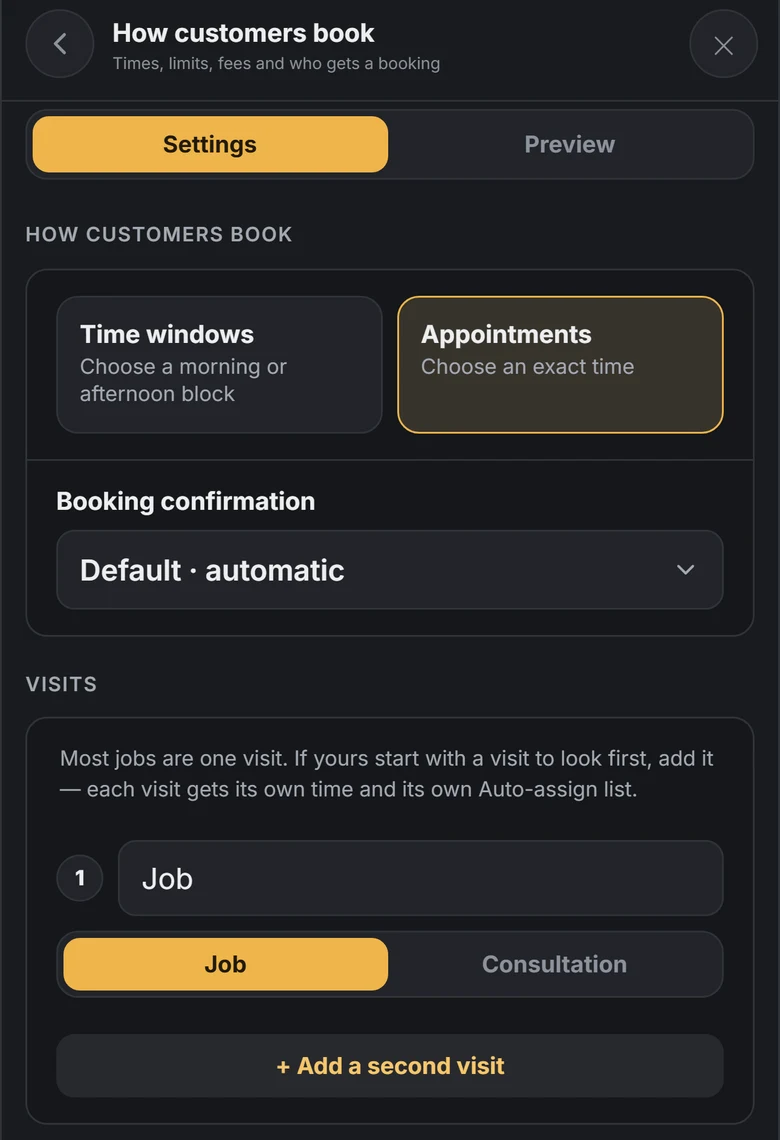
Not every job can be priced from a form. If your trade walks the site before quoting, set the booking to start with a consultation. The customer books the visit, and you schedule the job once you've seen it.
1
Add a visit to look first
In How customers book, add a second visit and mark the first one Consultation. Each visit gets its own time.
2
They book the consultation
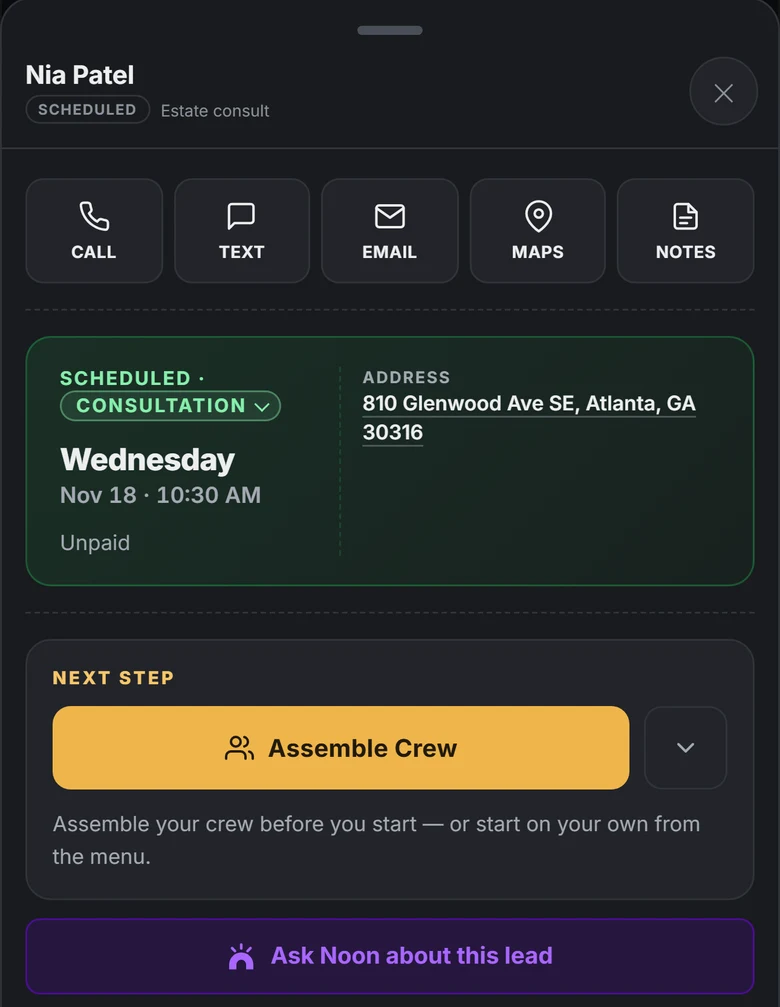
It lands in your pipeline as a scheduled consultation with the day, the time and the address.
3
You schedule the job
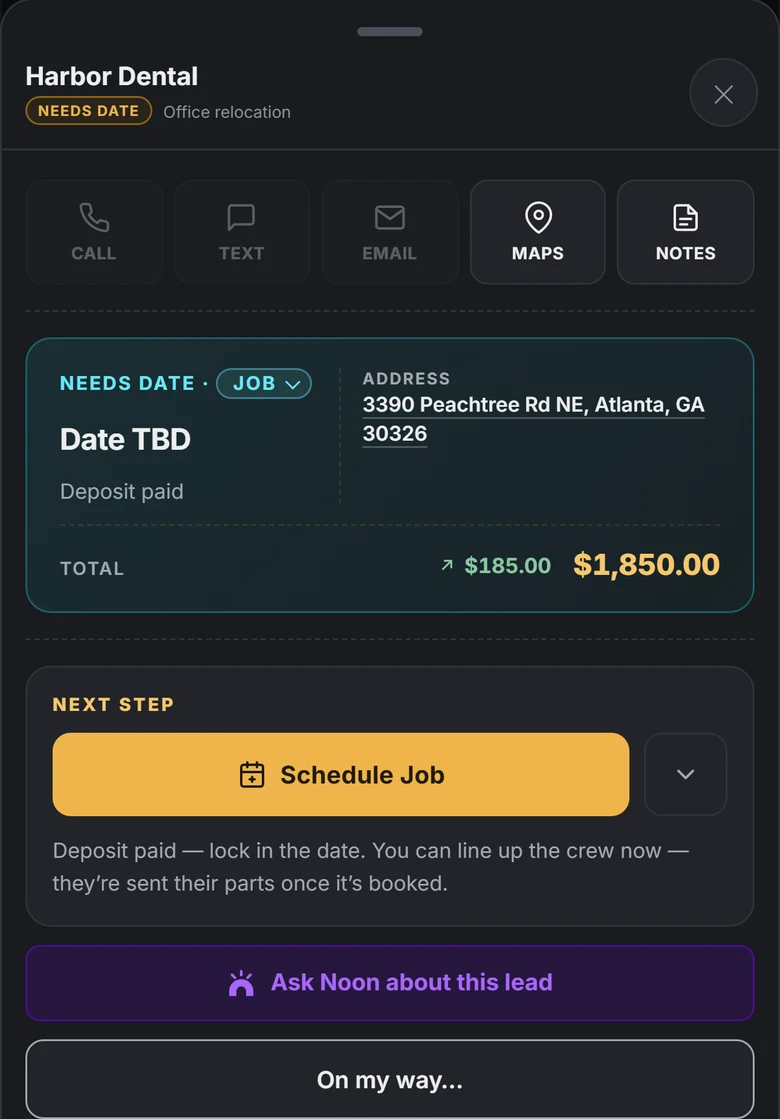
After the visit the job waits for a date. Once the deposit is paid, Schedule Job locks it in.
For you
Hands full? Still booking.
You're carrying a couch. Your booking page is answering "how much?" and "when are you free?" for the next customer.
Deposits and checkout into your own Square or Stripe
Confirmations and reminders by text and email
Google Calendar sync
Offers and promo codes
A private link to reschedule, cancel or pay
An AI receptionist that books callers by textPro
Auto-book: your crew takes bookings when they're freePro
Your own domain and branded linksPro
On RelayLeads
What your customer gets
✓Real prices and open dates — no callback needed
✓Books in a couple of taps, no app or password
✓A private link to reschedule, cancel, or pay anytime
In RelayOS
What you get
✓Every inquiry lands in one inbox, never voicemail
✓Trade-tuned intake asks the right questions up front
✓Instant push alert with the details attached
RelayLeads is what your customers see. RelayOS is the app you run it from.
How they fit together →
Can't pick up? Relay answers.
On RelayLeads Pro your business gets its own number, answered by Jade. She asks what your booking form asks, then texts the caller a link to review and pay.










 Square
 Google Calendar