









An owner and a crew member planning the day over one phone beside a pickup, early morning

Scheduling

Booked the way your work runs.

Arrival windows or exact times. Never double-booked.

Start here We'll find your business on Google and build your booking page.

Free plan · No credit card

Windows or exact times. Never double-booked.

  • Morning and afternoon windows
  • Exact-time appointments
  • Follows your Google Calendar
  • Consultation, then job
Start free
See it live

Set it once. It books itself.

Real screens from RelayOS and from a live RelayLeads booking form.

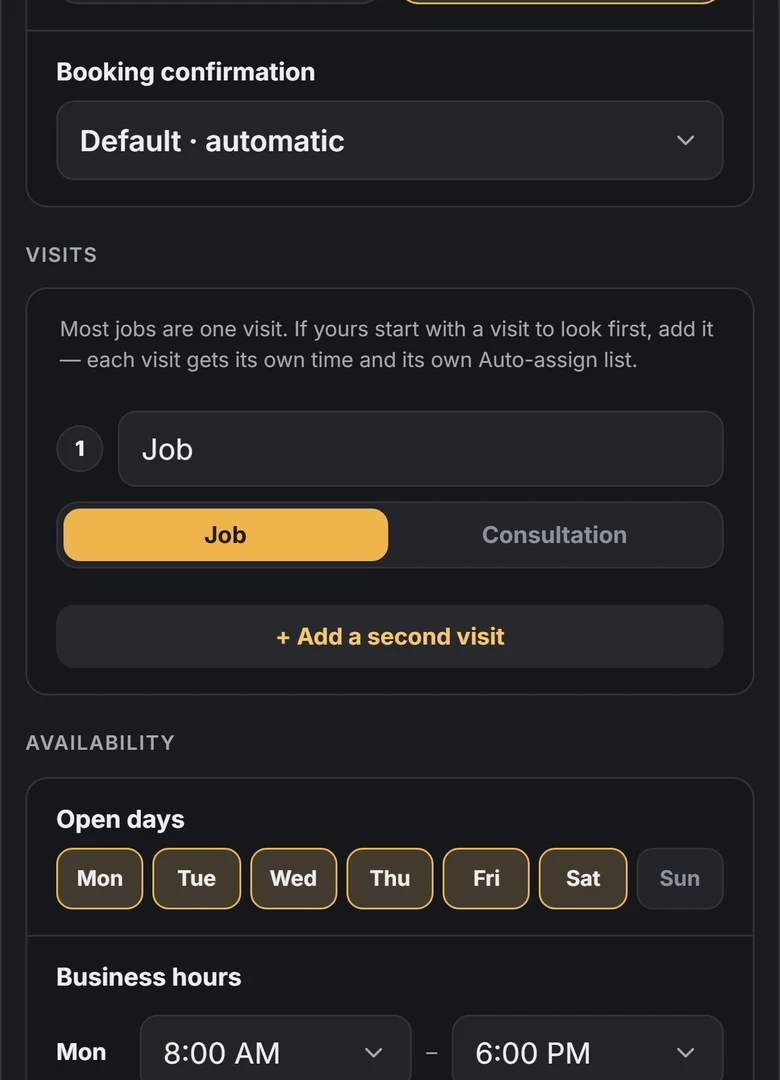
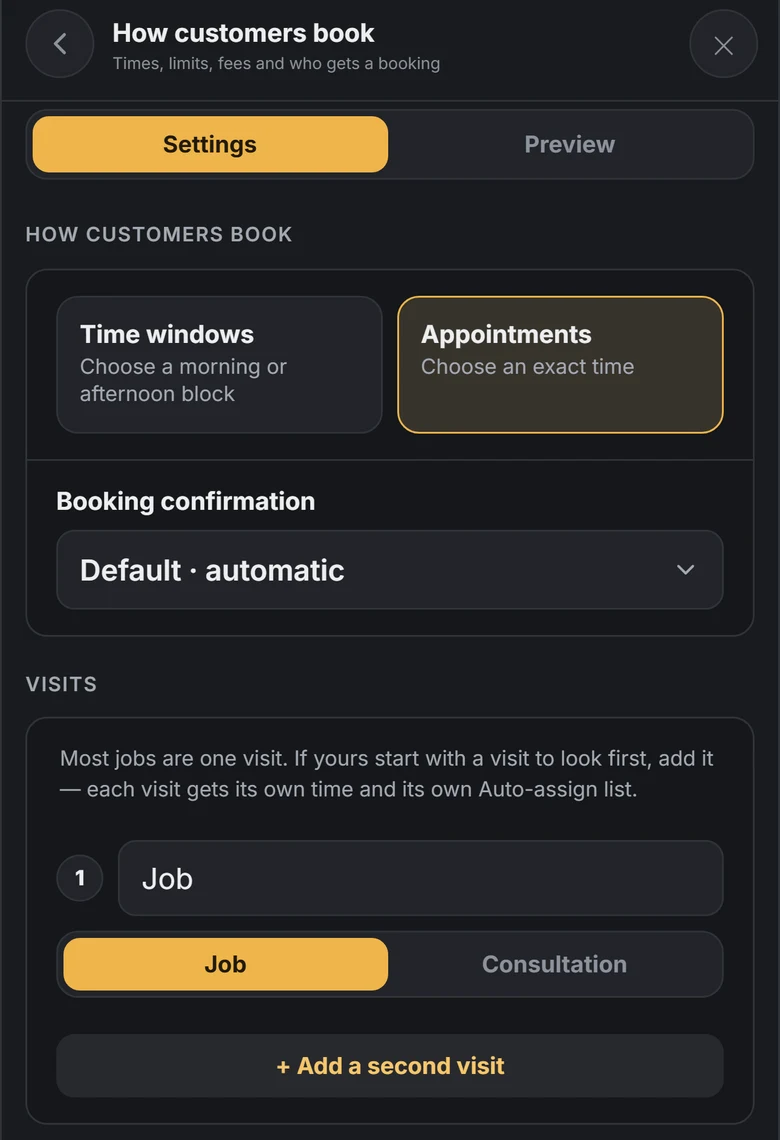
How customers book in RelayOS: a choice between Time windows and Appointments, automatic booking confirmation, and the visits for a job.
Pick your mode

Time windows or appointments

Crews book in windows: the customer picks a morning or an afternoon block. Service calls book as appointments at an exact time. Choose one in How customers book.

  • ✓Windows for moves, hauls and crew work
  • ✓Appointments for calls and studios
  • ✓Bookings confirm on their own
Availability in RelayOS: open days Monday to Saturday with Sunday off, and business hours from 8:00 AM to 6:00 PM.
Your hours

Open days and business hours

Tap the days you work and set your hours. Your booking page only offers times inside them, and your website shows the same hours.

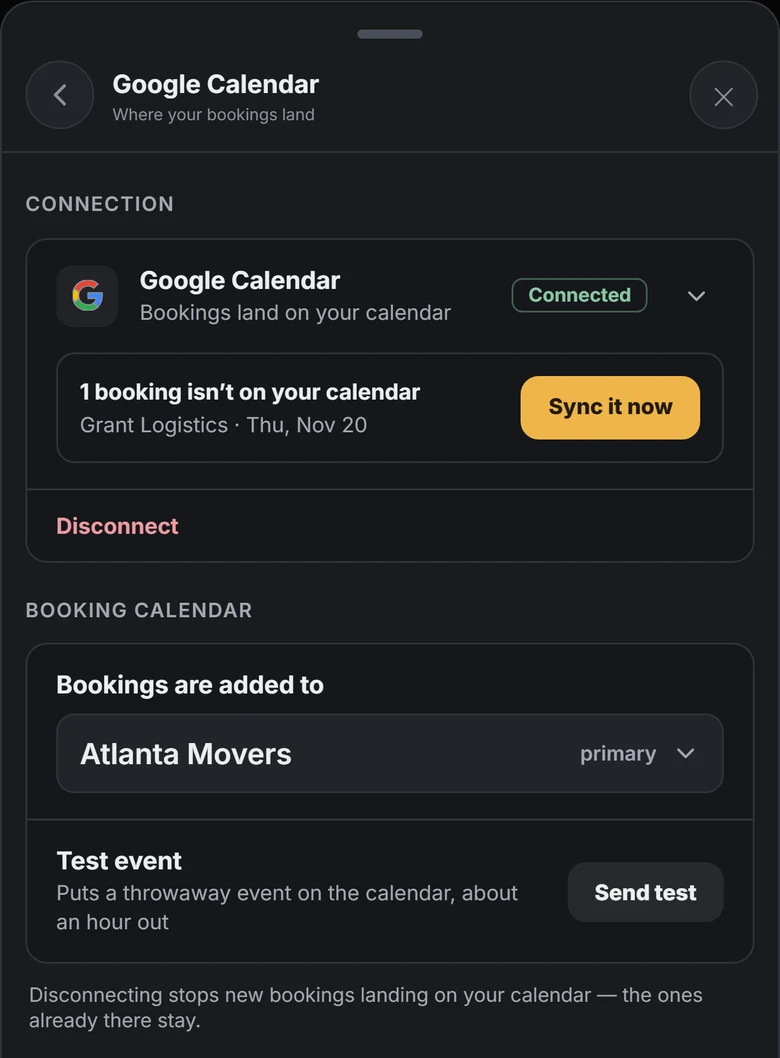
Google Calendar in RelayOS: connected, with bookings added to the Atlanta Movers calendar and a Sync it now button for one booking.
Google Calendar

Syncs with your Google Calendar

Connect Google Calendar once. Bookings land on the calendar you choose, and time you've marked busy there comes off your booking page.

  • ✓Bookings are added to your calendar
  • ✓Busy on Google means not bookable
  • ✓Pick which calendar bookings go to

Syncs withGoogle Calendar

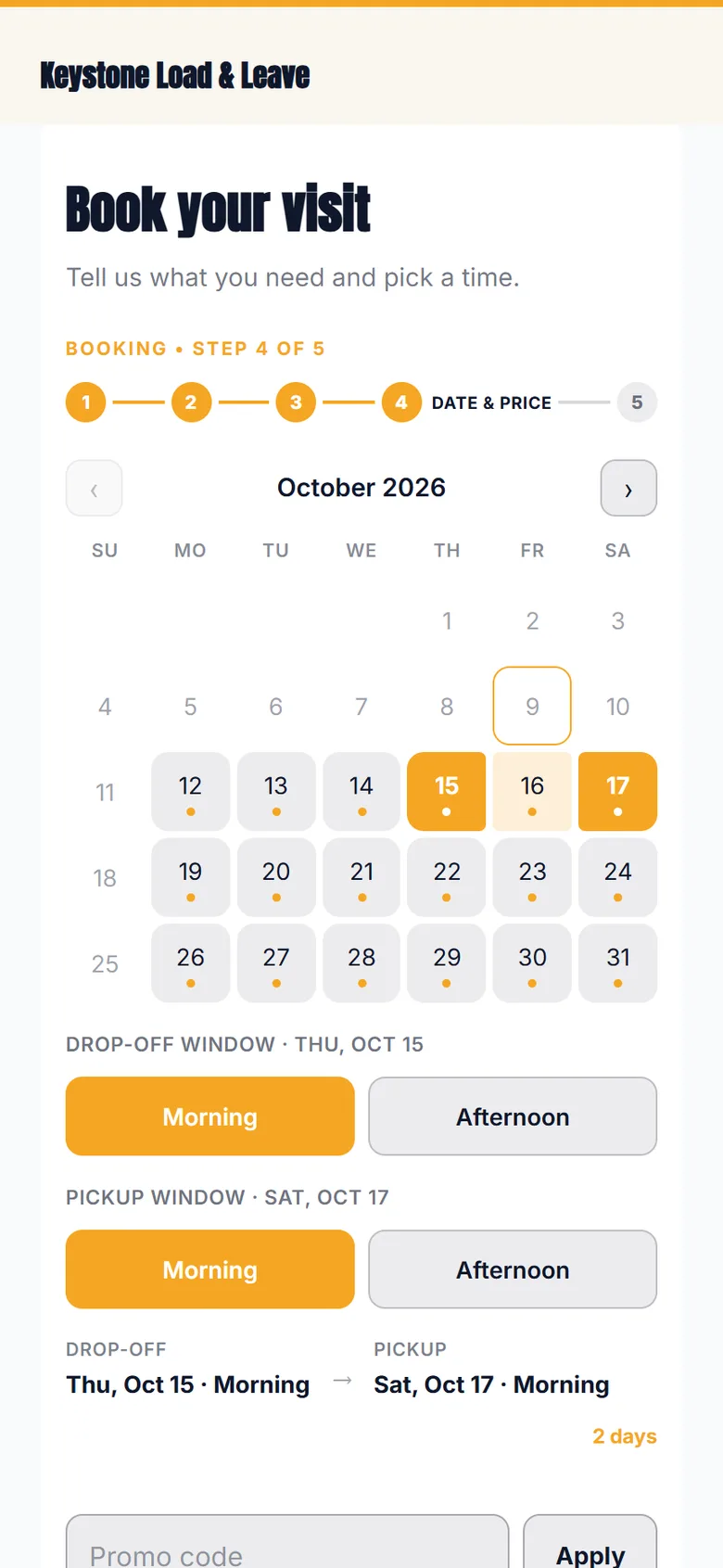
Step 4 of a booking form: a calendar with open dates, morning and afternoon windows for drop-off and pickup, and a promo code box.
They pick

Customers see only what's open

The booking form shows a calendar with your open dates and the windows still free. They pick one and it is theirs. No back-and-forth.

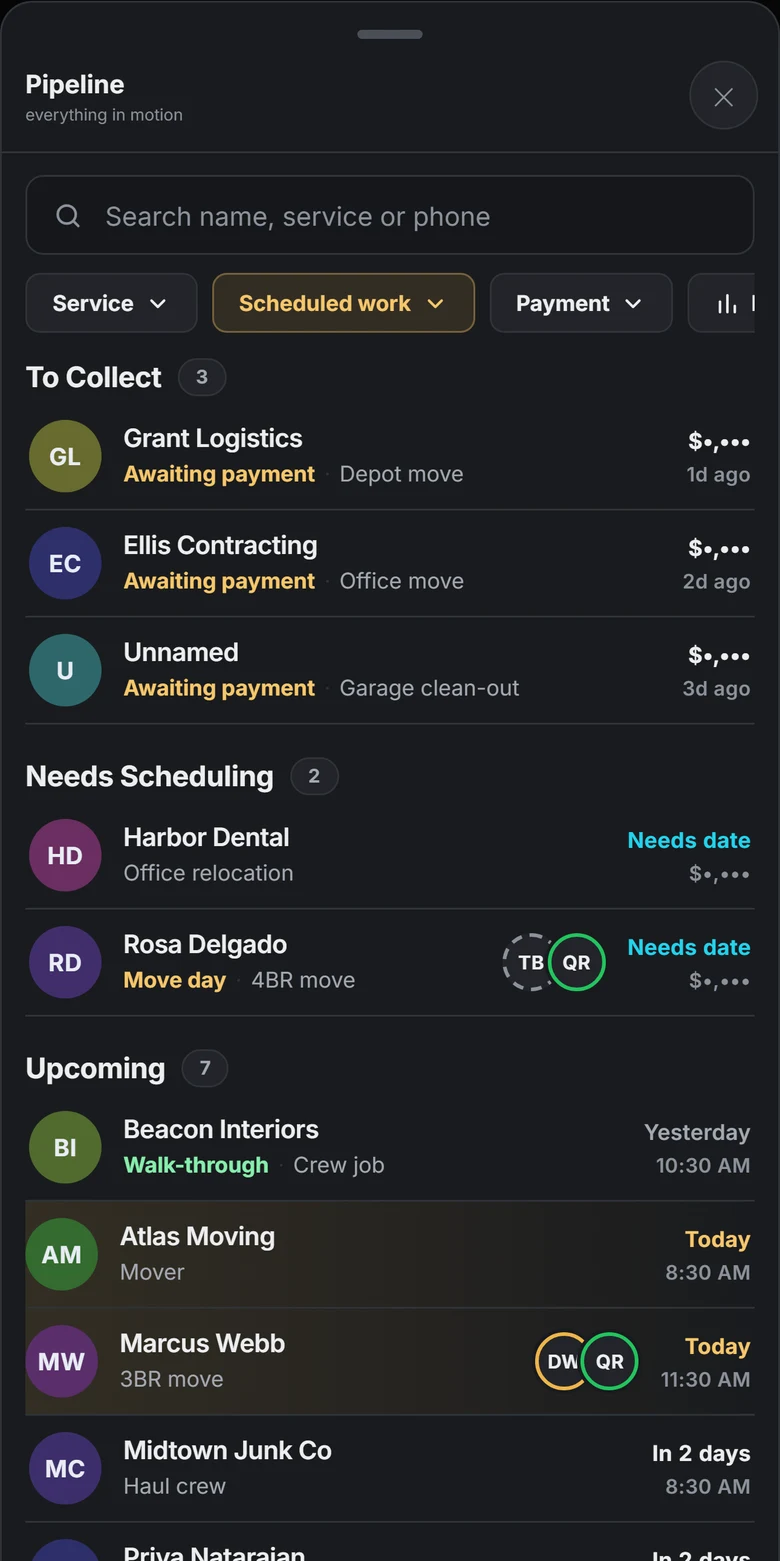
The RelayOS pipeline filtered to Scheduled work: three jobs to collect, two that need scheduling and seven upcoming, with today's jobs highlighted.
Your week

Scheduled work in one list

Filter the pipeline to Scheduled work and you get what needs collecting, what still needs a date, and what's coming up, with today's jobs highlighted.

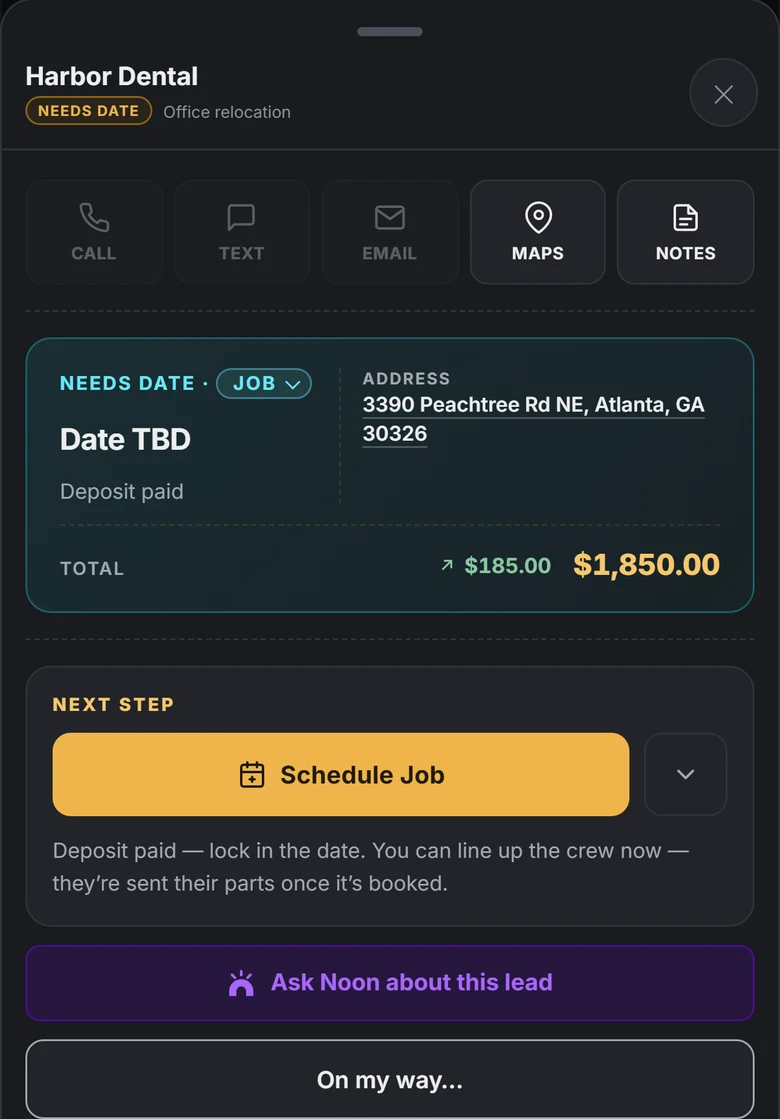
A job in RelayOS marked Needs date, deposit paid, with Schedule Job as the next step.
Needs a date

One tap to lock it in

A job waiting on a date says so, and its next step is Schedule Job. Pick the day and the customer and your calendar are both up to date.

Scheduling

Syncs withGoogle Calendar

Your life is on the calendar too.

Connect Google Calendar and your booking page follows it. Sarah's recital is on your calendar, marked busy, so that time comes off your booking site. Nobody books over it, and you never had to block it by hand.

  • Busy on Google means not bookable on your site
  • Pick which calendars count, shared ones included
  • Booked jobs land on your Google Calendar on their own
How calendar sync works →

Consultation, then job

Need to see it first? Book the visit.

Not every job can be priced from a form. If your trade walks the site before quoting, set the booking to start with a consultation. The customer books the visit, and you schedule the job once you've seen it.

  1. How customers book in RelayOS: time windows or appointments, automatic confirmation, and a Visits section with Job and Consultation and an Add a second visit button.

    Add a visit to look first

    In How customers book, add a second visit and mark the first one Consultation. Each visit gets its own time.

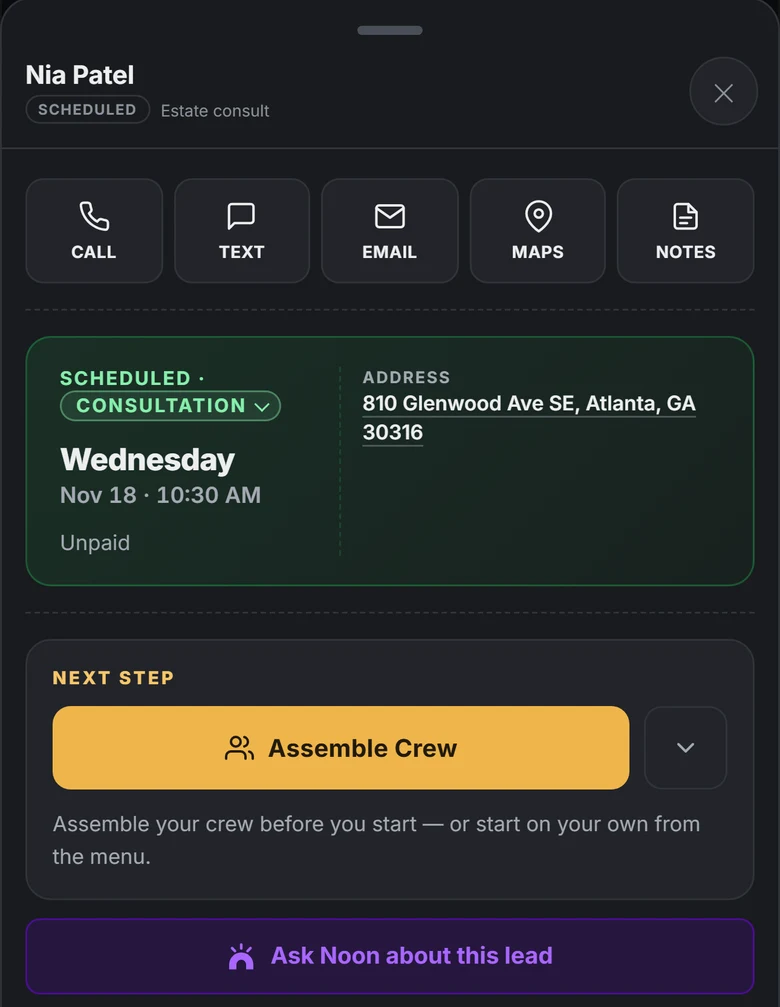
  2. A lead in RelayOS marked Scheduled, Consultation, Wednesday at 10:30 AM, with the address and call, text, email and maps buttons.

    They book the consultation

    It lands in your pipeline as a scheduled consultation with the day, the time and the address.

  3. A job in RelayOS marked Needs date, deposit paid, total $1,850.00, with Schedule Job as the next step.

    You schedule the job

    After the visit the job waits for a date. Once the deposit is paid, Schedule Job locks it in.

ProCrews · Auto-book

When your day is full, your crew takes the next one.

On RelayLeads Pro a booked time doesn't have to mean you. Invite the people you work with and switch on auto-book: when a customer picks a slot, the job goes to crew who are free, so your calendar keeps filling past what one person can do.

  • Auto-book: your crew takes bookings when they're free
  • The consultation and the job each get their own auto-assign list
  • See who has claimed their part before the day starts
  • Joining your crew is free for them
How Crews works →
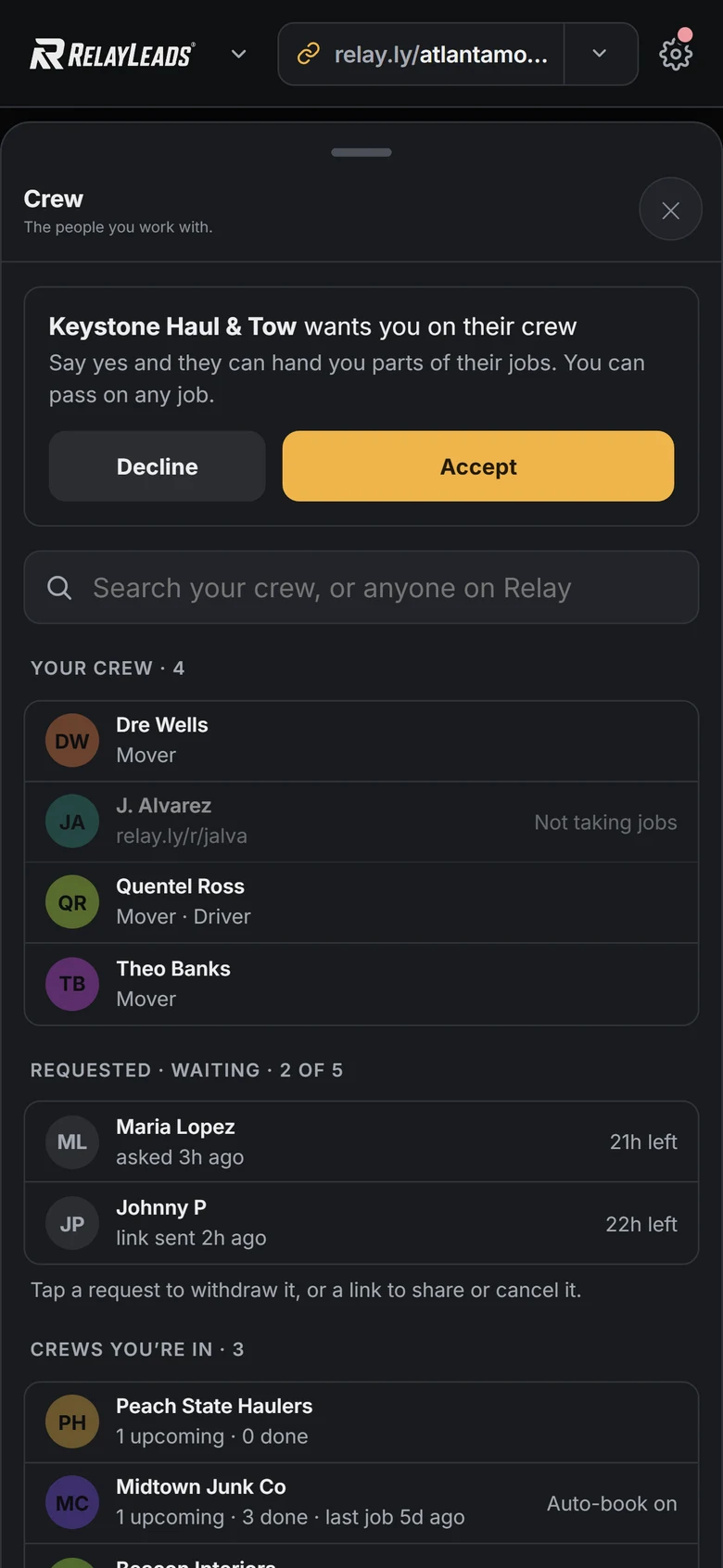
The operator's phone: the Crew screen in RelayOS with four crew members, two pending requests and the crews they are in.
Operator
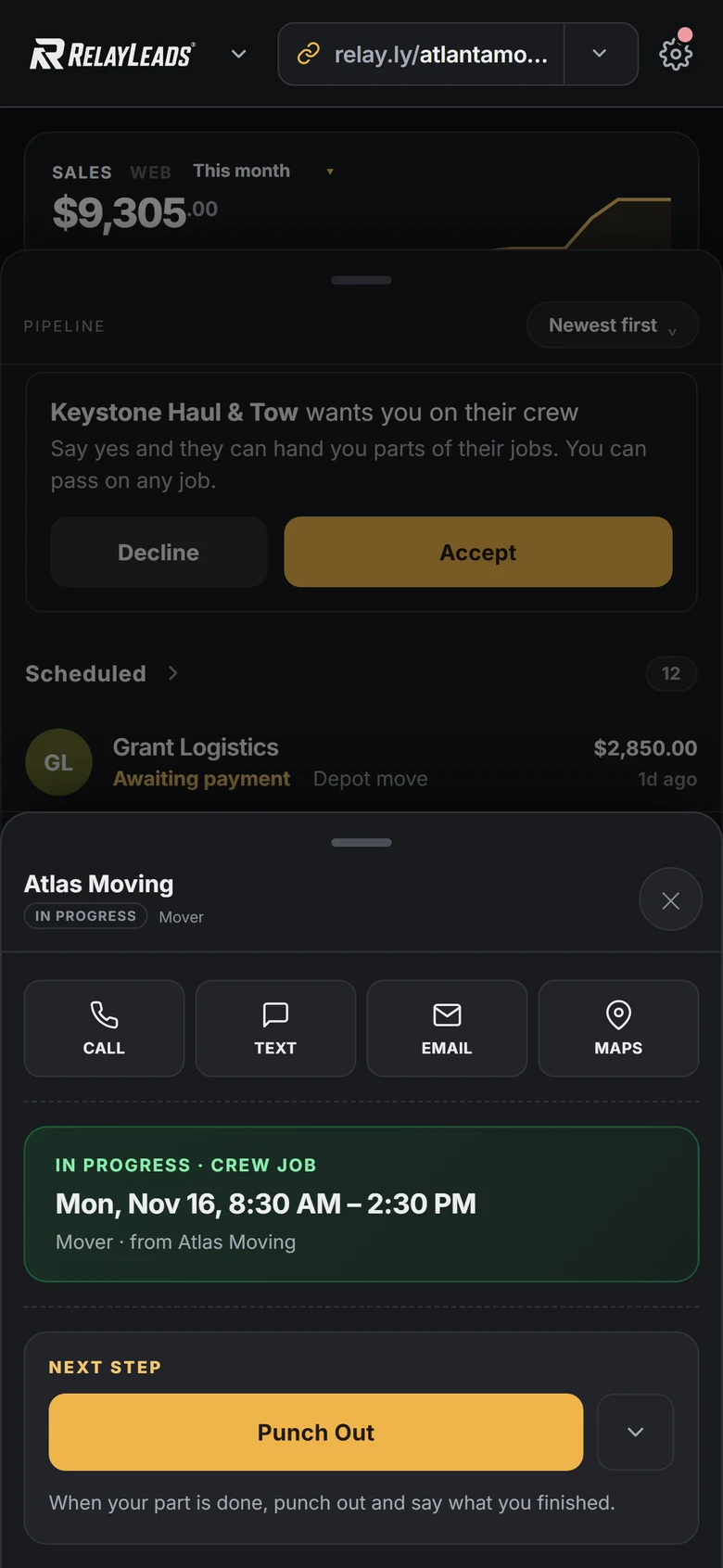
A crew member's phone in a rugged case: their part of a job, in progress from 8:30 AM to 2:30 PM, with Punch Out as the next step.
Crew member
A crew member in a charcoal and yellow uniformA crew member in the same uniform, hand in his pocketA crew member in the same uniform, carrying a tool bagA crew member in the same uniform, with a cord over his shoulder A business owner in a white polo, arms folded, smiling
The problem

What this replaces

  • A paper calendar (or your memory) as the source of truth
  • Double-booked mornings when two channels sell the same slot
  • Jobs booked with less notice than you can actually handle
  • Saturday capacity wasted because nothing tracks it
How it works

The RelayLeads way

01

Pick your mode

Window mode for crew work — a Saturday morning holds N crews, not one appointment. Appointment mode for exact-time visits, checked against your live calendar.

02

Set the guardrails

Notice rules hide slots that are too soon. A booking horizon caps how far out. Per-weekday capacity overrides handle busy seasons. Same-day fees price urgency.

03

Capacity enforces itself

Reservations are atomic — a burst of ten bookings against capacity two lands exactly two. A full window closes itself. No oversell, ever.

On RelayLeads

What your customer gets

  • ✓Sees only genuinely available windows or times
  • ✓Picks a slot in seconds — no back-and-forth
  • ✓Reschedules from their booking link, which frees the slot
A booking form calendar showing open dates and time windows.
In RelayOS

What you get

  • ✓Crew capacity per window, with per-date overrides
  • ✓Unpaid holds expire on their own — no cleanup
  • ✓Two visits book as one job when the work needs it
The RelayOS pipeline filtered to Scheduled work.

RelayLeads is what your customers see. RelayOS is the app you run it from. How they fit together →

FAQ

Scheduling, answered

What's the difference between windows and appointments?

Windows are coarse blocks (Saturday AM) with a crew capacity — right for moves and hauls. Appointments are exact times (Tuesday 2:00) checked against your live Google Calendar — right for service calls and studios.

Can it really not double-book?

Reservation is a single atomic operation against the capacity count, and appointment slots re-check your calendar at confirmation. There's no gap for two bookings to slip through.

Can I charge more for same-day work?

Yes — set a same-day or urgency fee and it's added at booking, collected with the deposit on your own processor.

Enter your business. We build the rest.

Free, takes about two minutes, no credit card. Your page, booking flow, and dashboard — built from a few quick questions.

Start here We'll find your business on Google and build your booking page.